

A few years ago, launching a functional business application was enough to give a company a noticeable edge. If an app loaded reliably, looked reasonably clean, and handled basic transactions, customers and employees were willing to forgive a few rough edges. That grace period is over. In 2026, users compare every piece of software they touch—whether it is an internal logistics tool or a customer-facing retail app—against the fastest, smartest consumer products on their phones.
Software fatigue is real. Decision-makers are actively cutting bloated subscriptions, and everyday users abandon clunky apps within minutes of downloading them. Building a successful business application today is no longer about cramming as many features as possible onto a roadmap. It is about getting the fundamentals right and pairing them with modern capabilities that genuinely save time, protect data, and remove friction.
Here are the core features that separate high-performing business applications from the ones that quietly gather digital dust.
Contextual AI and Agentic Workflows
Artificial intelligence in business software has moved well beyond novelty chatbots sitting in the bottom corner of a screen. Users no longer want to type prompts just to get a generic paragraph of text. They want software that understands context and quietly handles multi-step work on their behalf.
The most effective applications in 2026 embed agentic workflows directly into everyday tasks. Instead of making an operations manager pull three separate reports, cross-check inventory levels, and draft a reorder email, a well-designed app flags the shortage, prepares the purchase order based on historical vendor pricing, and waits for a single tap of approval. Human oversight remains intact, while the tedious busywork disappears.
Personalization follows the same logic. Rather than forcing every user through an identical dashboard, modern apps adapt dynamically to role, behavior, and timing. A sales representative opening an app at 8:30 AM sees prioritized follow-ups and meeting briefs, while a finance lead sees pending approvals and cash-flow alerts. When AI reduces cognitive load instead of adding another interface to learn, adoption happens naturally.
Fast, Accessible User Experience Across Every Device
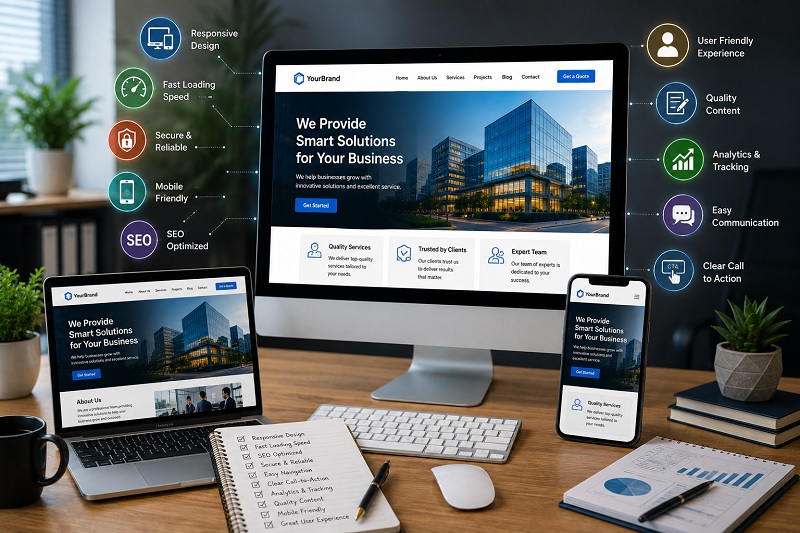
No amount of backend sophistication can rescue a sluggish or confusing interface. Performance expectations have tightened dramatically: users expect apps to launch in under two seconds, respond instantly to every tap or click, and run without draining device batteries. Micro-interactions, clean layouts, and logical navigation are baseline requirements, not design luxuries.
Equally important is true cross-platform continuity. People rarely complete complex workflows on a single screen anymore. A customer might start configuring an order on a laptop at work, review it on a smartphone during their commute, and finalize it on a tablet at home. Your application needs to preserve state in real time across desktops, mobile phones, tablets, and emerging foldable form factors without forcing users to start over.
Accessibility also belongs at the foundation of product design rather than at the end of a compliance checklist. Supporting screen readers, keyboard navigation, adjustable text sizes, voice input, and high-contrast visual modes does more than meet legal standards. It expands your addressable audience and consistently results in cleaner, easier-to-use interfaces for everyone.
Security by Design and Transparent Privacy Controls
Data breaches and credential theft have made both enterprise buyers and individual consumers deeply skeptical of where their information goes. In 2026, security is not just an IT requirement—it is a visible, trust-building product feature.
Passwordless and Biometric Authentication
Traditional password-only logins create two problems at once: they frustrate legitimate users and invite account takeovers. Modern business applications prioritize passkeys, biometric logins (face and fingerprint recognition), and adaptive multi-factor authentication. These methods speed up daily access while dramatically lowering the risk of phishing and credential-stuffing attacks.
Zero-Trust Architecture and User Transparency
Behind the scenes, strong applications rely on end-to-end encryption, secure API gateways, and granular role-based access controls so users only see the data their job requires. Just as important is how privacy is communicated. Plain-English permission prompts, clear data-usage explanations, and self-service privacy controls show customers that you respect their boundaries. When users understand what data an app collects and why, they are far more likely to stay loyal to the platform.
Deep Ecosystem Integration and API-First Architecture
Few businesses want another standalone tool that forces their team to copy and paste information between tabs. Tool sprawl has pushed organizations to favor applications that play well with the software they already rely on.
A successful business app in 2026 is built with an API-first mindset. Whether it needs to connect to a CRM, an ERP system, accounting software, payment gateways, or messaging platforms, data should flow automatically in both directions. When an invoice is paid in a customer portal, the accounting ledger should update immediately, the customer profile should reflect the transaction, and any automated follow-up reminders should stop without human intervention.
Modular, well-documented integrations also protect your product’s long-term relevance. As your clients swap out legacy vendors for newer tools, an open, integration-friendly application remains an indispensable hub rather than becoming the bottleneck they decide to replace.
Offline Resilience and Real-Time Cloud Sync
High-speed connectivity is widespread, yet dead zones remain a daily reality for field technicians, delivery drivers, healthcare workers, warehouse teams, and traveling executives. An application that freezes or wipes out unsaved work the moment a signal drops quickly loses the confidence of its users.
Modern business apps should handle offline functionality gracefully. Essential features—such as viewing key records, filling out inspection forms, scanning barcodes, or browsing a product catalog—need to work locally using encrypted on-device storage. Once connectivity returns, the app should synchronize changes automatically in the background and resolve data conflicts cleanly without creating duplicate entries or overwriting a colleague’s updates.
Pairing offline resilience with automatic cloud backups gives users peace of mind. They know their work is safe whether they are in a basement mechanical room or switching to a replacement device after dropping their phone.
Actionable, Real-Time Analytics
Collecting data is easy; turning it into clear next steps is where most applications fall short. Many business tools still bury insights inside dense spreadsheets or require users to export CSV files just to figure out what happened last week.
High-value applications embed real-time, decision-ready analytics right into the workspace. Instead of overwhelming users with dozens of vanity metrics, they highlight the numbers that actually move the needle—funnel drop-offs, response times, inventory turnover, or early indicators of customer churn.
The best analytics features pair historical trends with proactive alerts. If a retail app detects an unusual spike in cart abandonment at checkout, or a fleet management app spots recurring maintenance delays on a specific route, notifying the right person immediately turns passive reporting into measurable ROI.
Cloud-Native Scalability and Modular Growth
A business application should never buckle under the weight of its own success. Whether a company experiences a sudden holiday traffic surge, lands a major enterprise client, or rolls out a tool across five new regional offices, the underlying infrastructure must absorb the load without slowdowns or unplanned downtime.
Building on scalable cloud architecture and modular services allows teams to expand capacity automatically during peak demand and scale back when traffic normalizes, keeping operating costs predictable. Just as valuable, a modular codebase lets product teams roll out new features, apply security patches, and retire outdated components without disrupting the entire system. Over time, this architectural discipline keeps technical debt manageable and dramatically lowers the total cost of ownership.
Thoughtful Communication and Notification Controls
Push notifications, email alerts, and in-app messages can either keep users engaged or drive them straight to the uninstall button. The difference comes down to relevance and restraint.
Successful applications treat user attention as a scarce resource. Alerts should be timely, contextual, and tied to clear value—such as a shipping status change, an approaching renewal deadline, or an urgent approval request. Just as critical is giving users straightforward control over how and when they hear from you. Letting people customize notification channels, set quiet hours, and mute non-essential updates signals respect for their workflow and keeps engagement rates healthy over the long haul.
Building for Longevity Rather Than Launch-Day Hype
Technology trends shift every year, and it is tempting for product leaders to chase whatever buzzword happens to dominate conference stages. Yet the business applications that thrive in 2026 share a grounded, practical focus. They combine intelligent automation with rock-solid speed, ironclad security, open integrations, and genuine empathy for the people using them every day.
Before adding another feature to your product roadmap, ask a simple question: does this remove a real obstacle for the user, or does it just add complexity? The apps that win this year—and stay relevant for the next five—are the ones that consistently choose clarity, reliability, and measurable value over noise.